Personalized tactics
Retry positions you missed in practice. Your review queue brings them back when they’re due.
Turn your completed Chess.com games into personal training. Find the turning point, play it again, and see what a better move changes.

Loading the practice board…
Black played 14…h6
The h-pawn moves while the black king is exposed. Can you take advantage?
Stockfish evaluation for White
White to move
Select a white piece and a highlighted square, or drag the piece to move.
The trainer couldn’t load. Refresh to try again.

Bring in your public Chess.com games. Tera Chess finds the decisions that changed the position and puts them back on a playable board.
All you need is your public Chess.com username.
See the move you played alongside a stronger Stockfish line.
Play the move yourself and revisit missed positions later.
A look inside Tera Chess, from your daily dashboard to the positions you’re ready to try again.
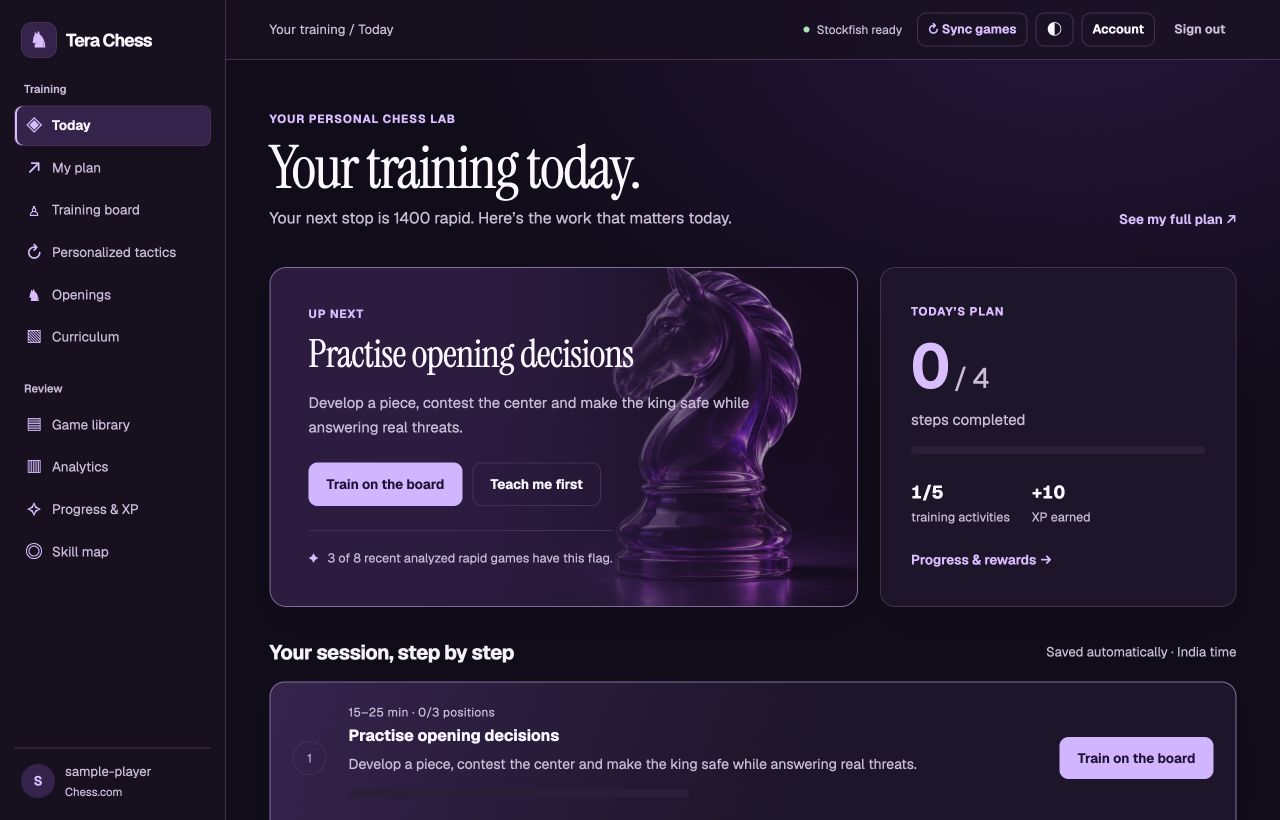
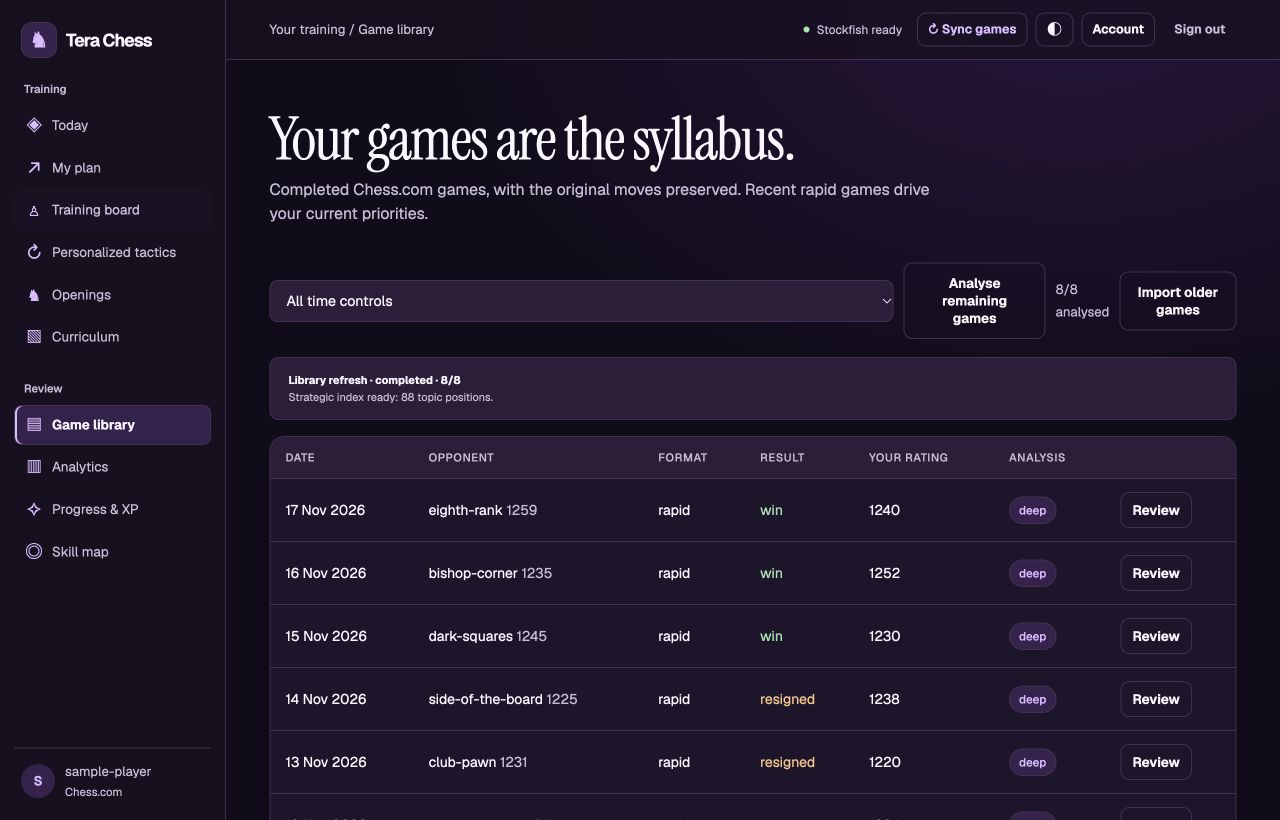
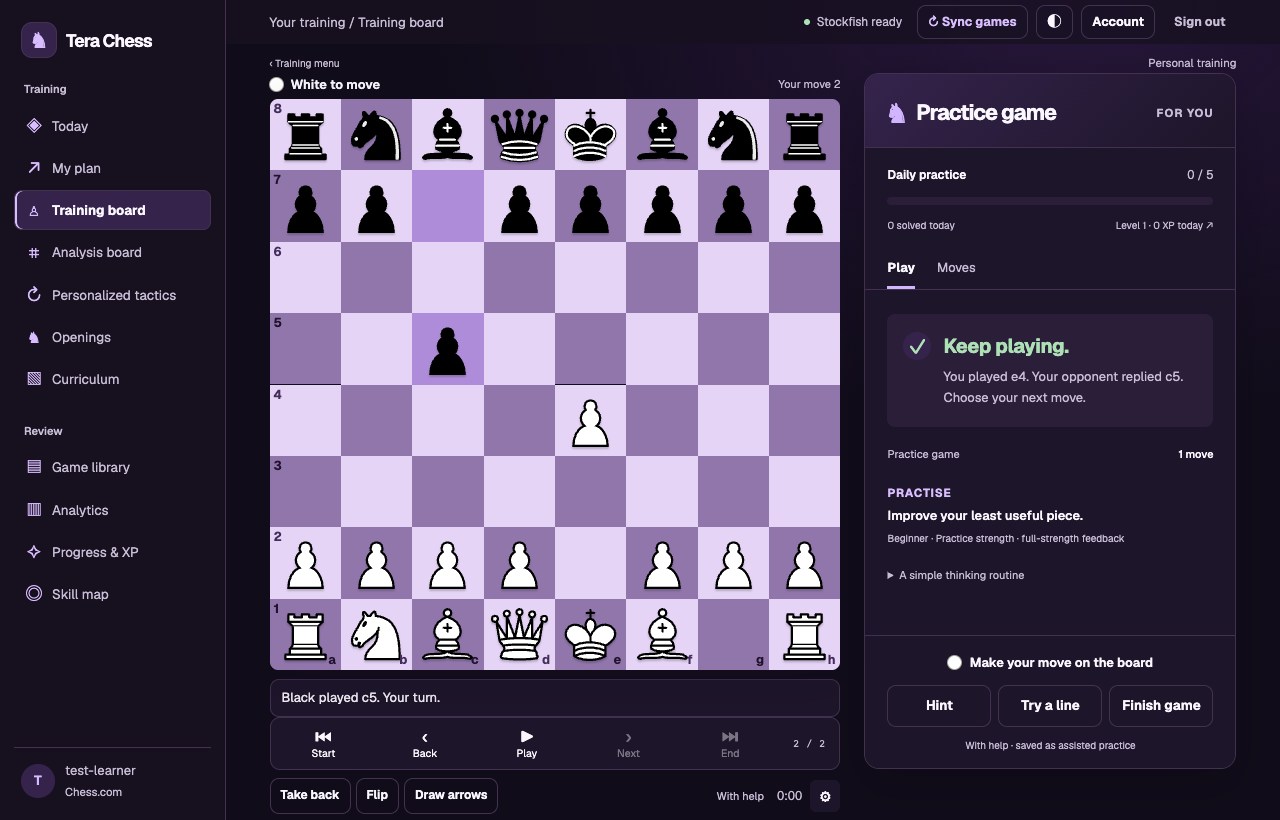
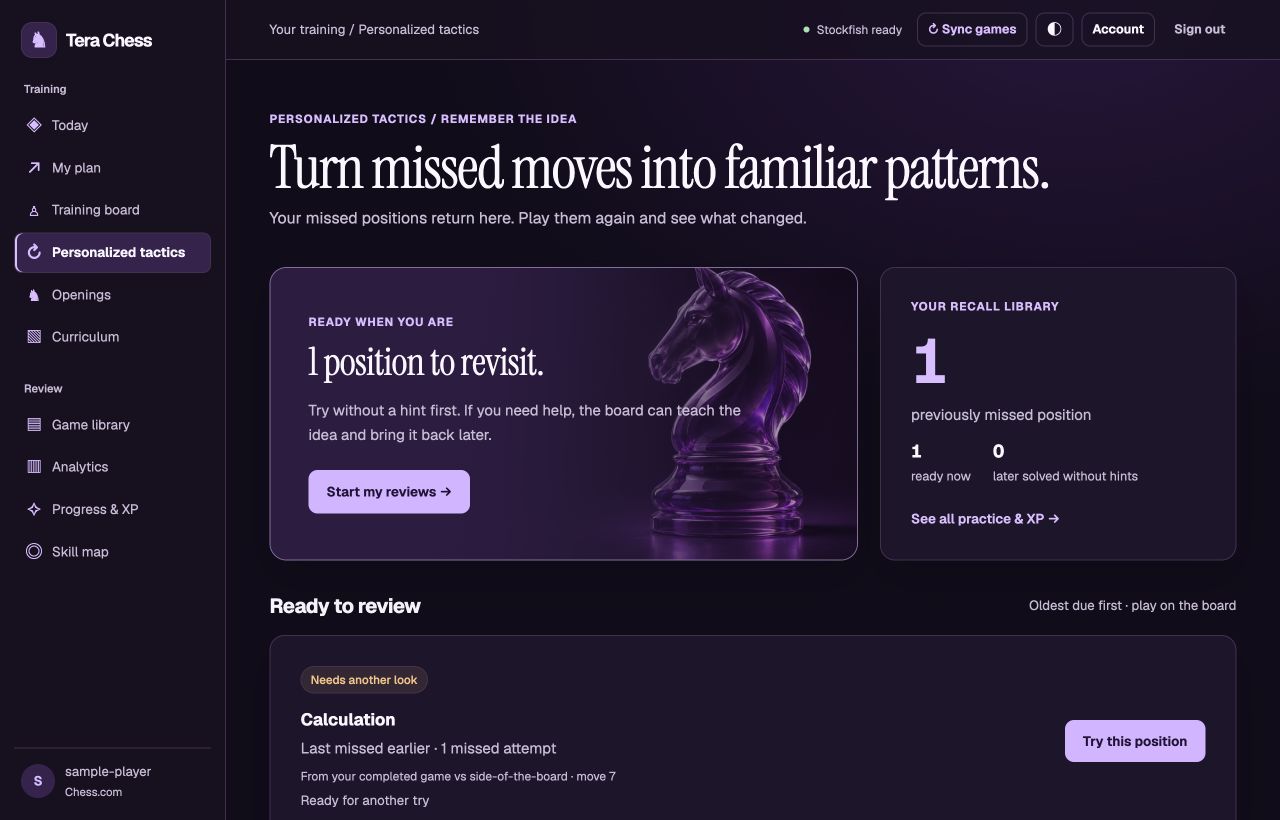

Review a mistake, work on an endgame, or sit down for a full game against Stockfish.
Retry positions you missed in practice. Your review queue brings them back when they’re due.
Convert a winning position against an engine that plays back. Finish the game without stalemate.
Play a full practice game, choose the opponent strength and practise recovering after mistakes.
See how your openings have gone in actual games and rehearse the built-in King’s Indian course.
Play out candidate moves on both sides, then commit to a move and compare Stockfish’s reply.
Try positions from held-out games. The first unaided attempt is recorded separately from practice.
Open Analytics to see which games have been analyzed, where you lost an advantage, and which positions deserve another look.

Enter your public Chess.com username. Tera Chess reads completed standard games from the public archive. Your Chess.com password stays with you.
The first import starts with up to 60 games from your three most recent archives. You can import older games from the game library and analyze them in batches.
Yes. Try the public training room above, or create an account to practise an endgame or play a full game against Stockfish.
Your account saves imported games, training attempts, review notes and progress. You can also download a copy from Account.